Your account
Open invoices, how overdue they are, and the decisions you have agreed to.
What is outstanding
Account shows what you currently owe the maintenance organisation, and how long it has been outstanding.
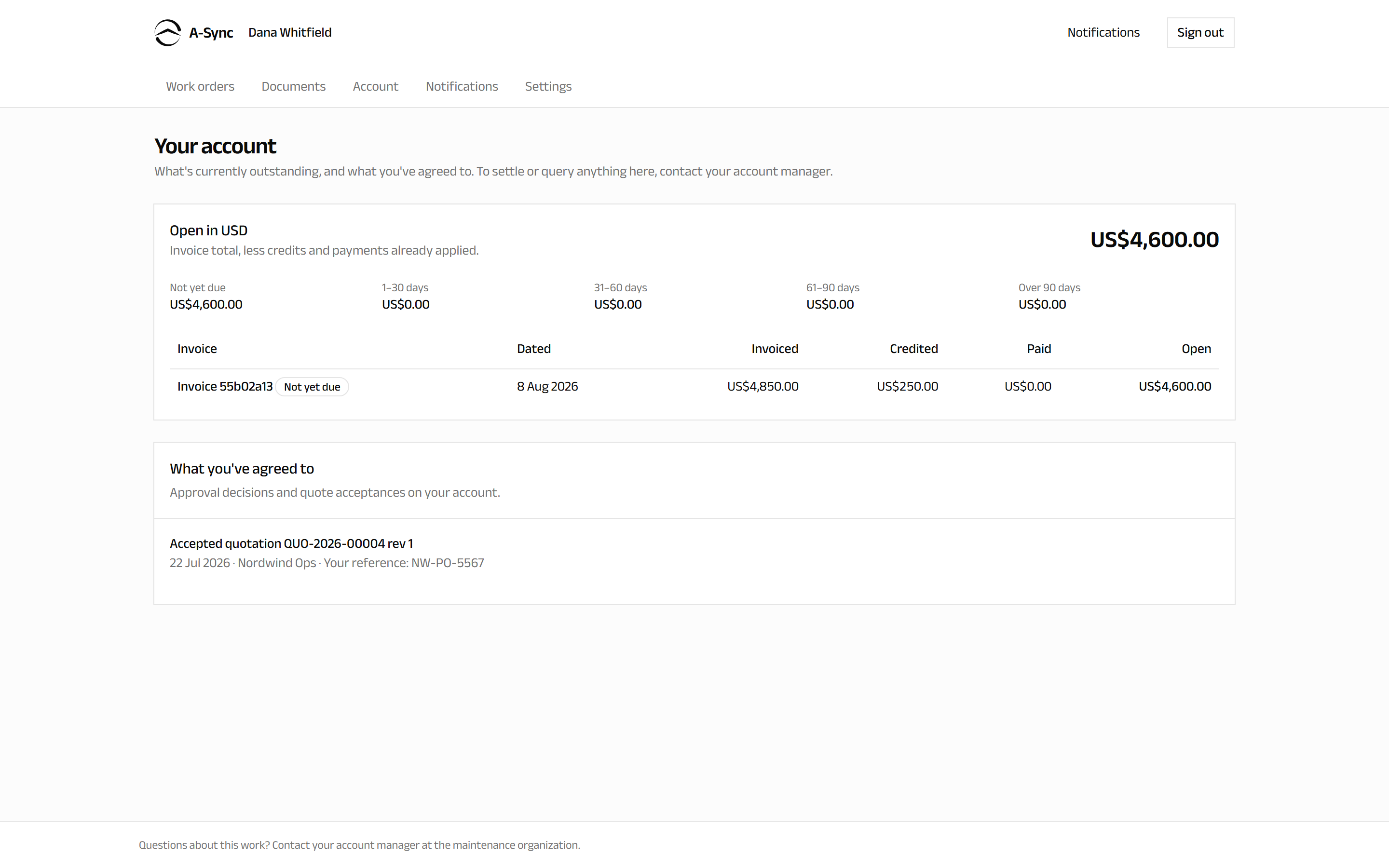
At the top is the total Open amount in each currency - the invoice total, less any credits and payments already applied.
Below it, invoices are grouped by how overdue they are:
| Bucket | Meaning |
|---|---|
| Not yet due | Invoiced, still inside its terms |
| 1–30 days | Up to a month past due |
| 31–60 days | One to two months past due |
| 61–90 days | Two to three months past due |
| Over 90 days | More than three months past due |
Each invoice line shows the Invoice reference, the date it was Dated, the amount Invoiced, anything Credited, anything Paid, and the remaining Open balance.
Amounts are shown per currency
Invoices are not converted into a single currency. If you are invoiced in more than one, each is totalled separately.
What you have agreed to
Below the invoices, What you've agreed to lists the approval decisions and quote acceptances recorded against your account, so the commercial trail is in one place: what you were asked, what you decided, and when.
This is the same set of decisions you made on your work orders - see Following your work.
Paying or querying an invoice
The portal reports your position; it does not take payment and does not open disputes.
To settle an invoice, or to query anything on this screen, contact your account manager at the maintenance organisation. Quote the invoice reference shown here.
If nothing is listed
Nothing outstanding means you have no open invoices right now. Invoices that have been fully paid or credited leave the list.