Following your work
Tracking progress on your work orders, and approving extra work found during maintenance.
Your work orders
The first screen after signing in lists every work order the maintenance organisation has open for you, with its current status.
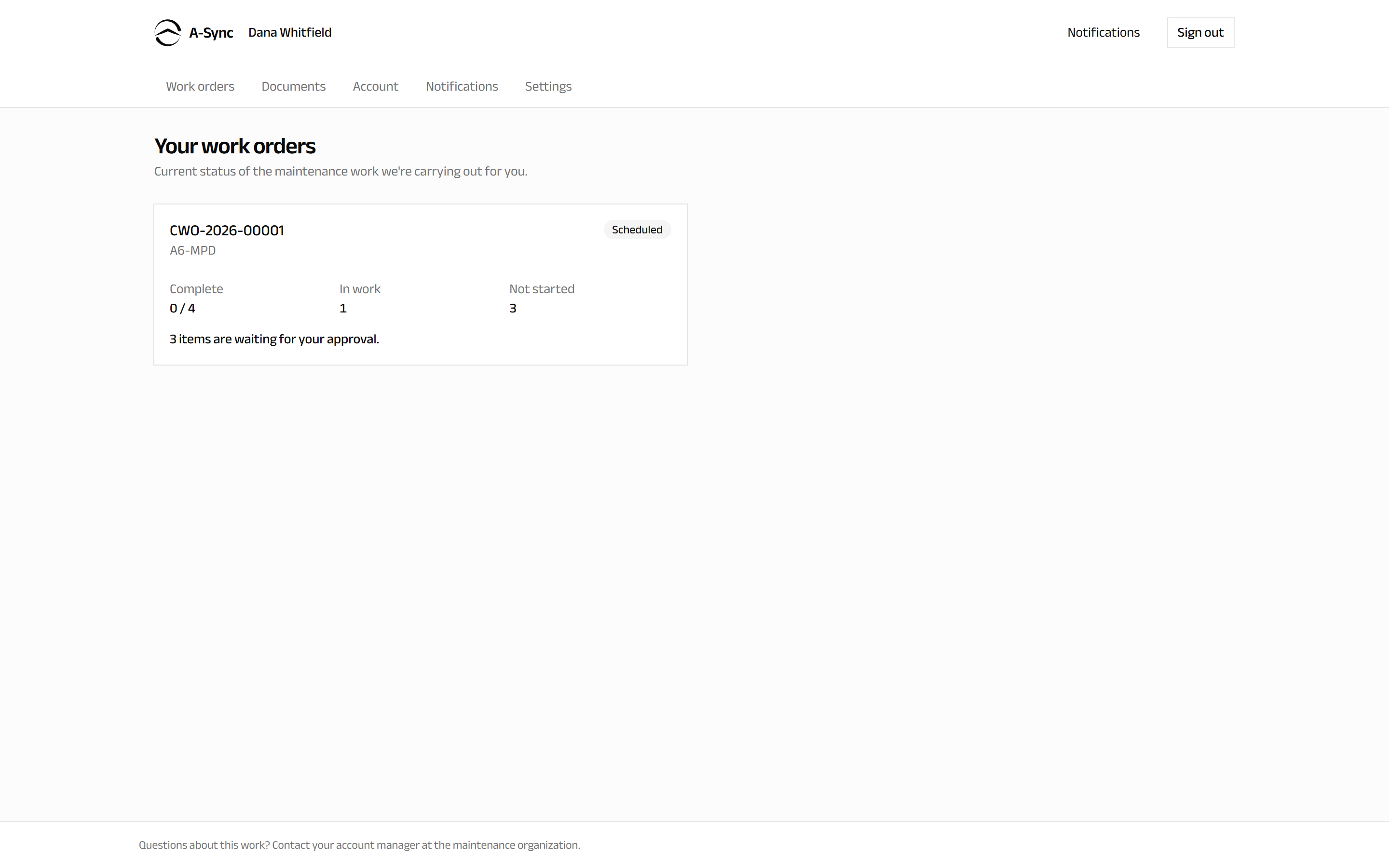
Each order shows how far it has got:
| Status | What it means |
|---|---|
| Not started | The order exists, work has not begun |
| Scheduled | Work has been planned onto the order |
| In work | Your aircraft or component is being worked on |
| Work complete | The work is finished |
| Closed | Finished and settled |
| Cancelled | The order will not proceed |
Alongside the status you see how many items are Complete, In work and Not started, so a long check shows real movement rather than a single label.
Anything waiting on you is called out here: "2 items are waiting for your approval."
Open one work order
Select an order to see it in full.
The order screen shows:
- Progress - status, items complete, in work and not started.
- Inducted and Work completed dates.
- Release reference - the release document reference once issued, or Not yet issued.
- Waiting for your decision - extra work found, if any.
- Documents for this order - the certificates and invoices raised against it.
Approve extra work
Maintenance finds things. When something is discovered that is outside the agreed scope, work on that item stops until you decide - so a decision from you is what lets it continue.
- Open the work order, or choose the notice on your dashboard.
- Read the item under Waiting for your decision. It describes what was found and what it will cost.
- Choose to approve or decline it.
- Confirm.
Your decision is recorded immediately and the maintenance organisation sees it straight away. Approved items are released for work; declined items are not carried out.
Deciding is what unblocks the work
Until you decide, that item cannot be started - this is deliberate, so nothing is done to your aircraft that you have not agreed to. The rest of the order carries on as normal.
Decisions are recorded, not draft
Once recorded, a decision is part of the commercial record of the job. If you need to change one, contact your account manager rather than expecting to undo it yourself.
If a request is re-quoted
If the maintenance organisation revises what it found, the original request is marked as replaced by a re-quote and a new one takes its place. Only the current request needs your decision.
Where a decision is not needed
Work already inside the agreed scope of the order does not come to you for approval - it is what you asked for. Only additional findings do.
Related pages
- Your documents - certificates and records for completed work.
- Your account - what has been invoiced.