Your documents
Collecting certificates, records packages, invoices and quotations, and confirming you received them.
What is here
Documents holds everything the maintenance organisation has issued or published to you, grouped by kind.
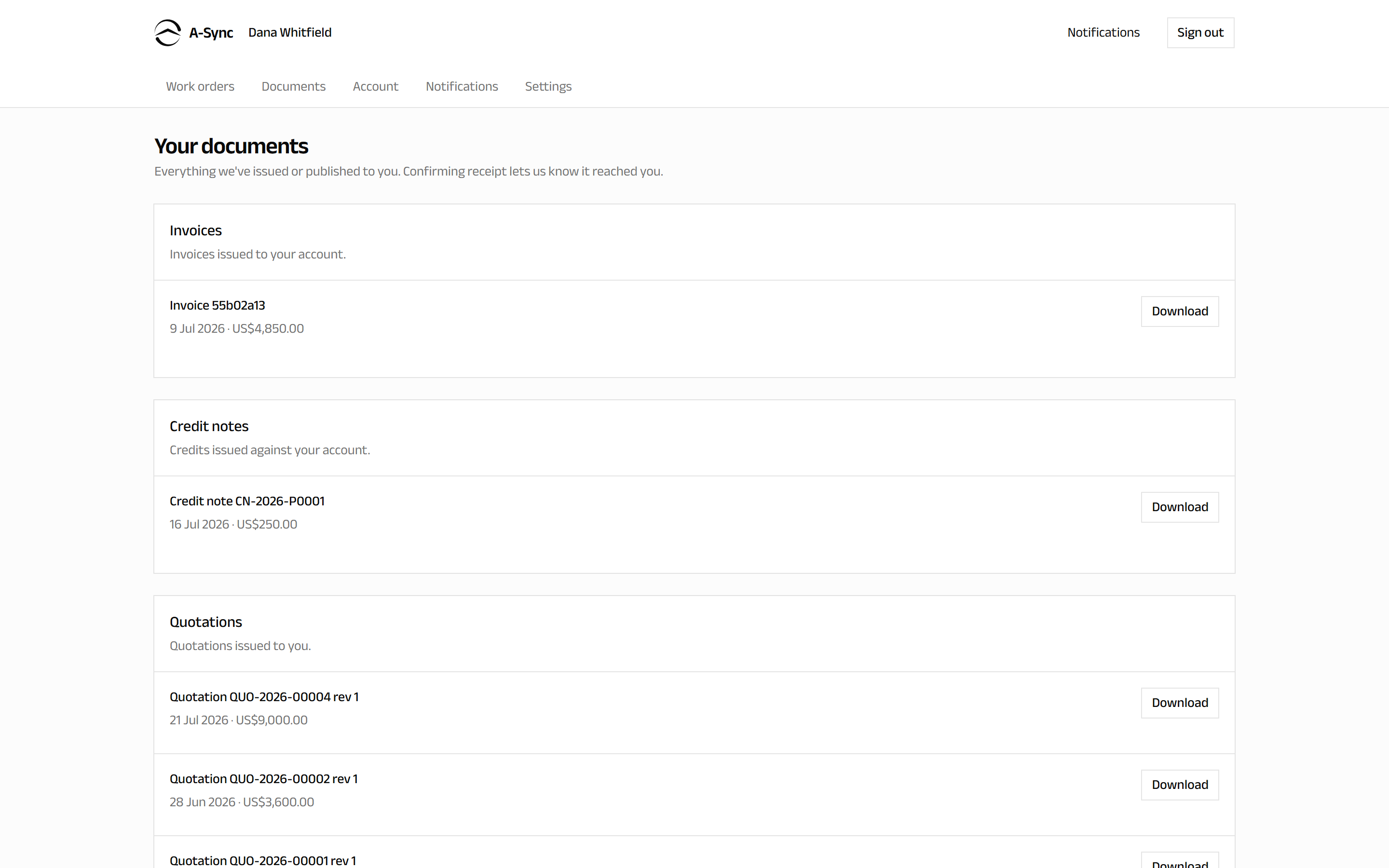
| Group | What it contains |
|---|---|
| Release certificates | Airworthiness release documents for your components |
| Records packages | Record bundles published to you |
| Invoices | Invoices issued to your account |
| Credit notes | Credits issued against your account |
| Quotations | Quotations issued to you |
| Approval packets | The paperwork behind decisions you were asked to make |
Documents appear here as soon as they are issued or published. Nothing is emailed to you.
Download a document
- Choose Documents.
- Find the document in its group.
- Choose to download it.
Confirm receipt
Some documents ask you to confirm they reached you. Confirming is how the maintenance organisation knows the document arrived - particularly for release certificates and records packages that have to be demonstrably handed over.
- Open the document.
- Choose to confirm receipt.
Your confirmation is recorded with the date and your name.
Confirming receipt is not approval
Confirming that you received a document only records delivery. It is not agreement with its contents, and it is not a commercial acceptance. Approvals happen on the work order - see Following your work.
Documents for one work order
If you want only the paperwork for a particular job, open that work order instead: Documents for this order lists the certificates and invoices raised against it.
If something is missing
Documents are published deliberately, not automatically - a certificate appears once it has been issued, and a records package once it has been assembled and published to you. If you expect something that is not here, contact your account manager at the maintenance organisation.