Execution
Electronic task cards, sign-offs, defects and deferrals, attendance, shift handover and release to service.
What it's for
Execution is the hangar floor. A published work package materialises here as electronic task cards, and everything that happens to the aircraft is recorded against them: the steps worked, the signatures, the hours, the parts, and anything found wrong along the way.
It ends with the certificate of release to service. A-Sync will not let that be issued until every task is signed and every defect is either fixed or properly deferred, so the release is a statement of fact rather than an assertion.
Key concepts
Task card - the numbered steps for one job, with its aircraft, its package and its current status: open, in progress, signed or closed.
Sign-off - an electronic signature carrying a meaning. performed says the work was done; inspected says a second person independently checked it. Your identity, your authorisation and what you signed are recorded permanently.
Dual inspection - a task that cannot be finished on one signature. It shows dual inspection required, and after the first signature reads awaiting inspection.
Labor - the minutes spent on a task. Entries are marked Manual where someone typed them and From punch clock where they came from clocking on to the job.
Defect - something found wrong with the aircraft. It runs open → deferred or rectified → closed.
Deferral - permission to fly with the defect unfixed, on a MEL or CDL basis, with an expiry the platform computes from the item's category.
CRS - the certificate of release to service: the document that returns the aircraft to service, issued by a certifier.
Handover - the record assembled at a shift boundary and handed to the incoming shift. Once issued it cannot be edited.
Common tasks
Find your work
- Choose Execution in the sidebar.
- Read down the packages. Each shows its status and revision, with its task cards beneath.
- Select a task to open its card.
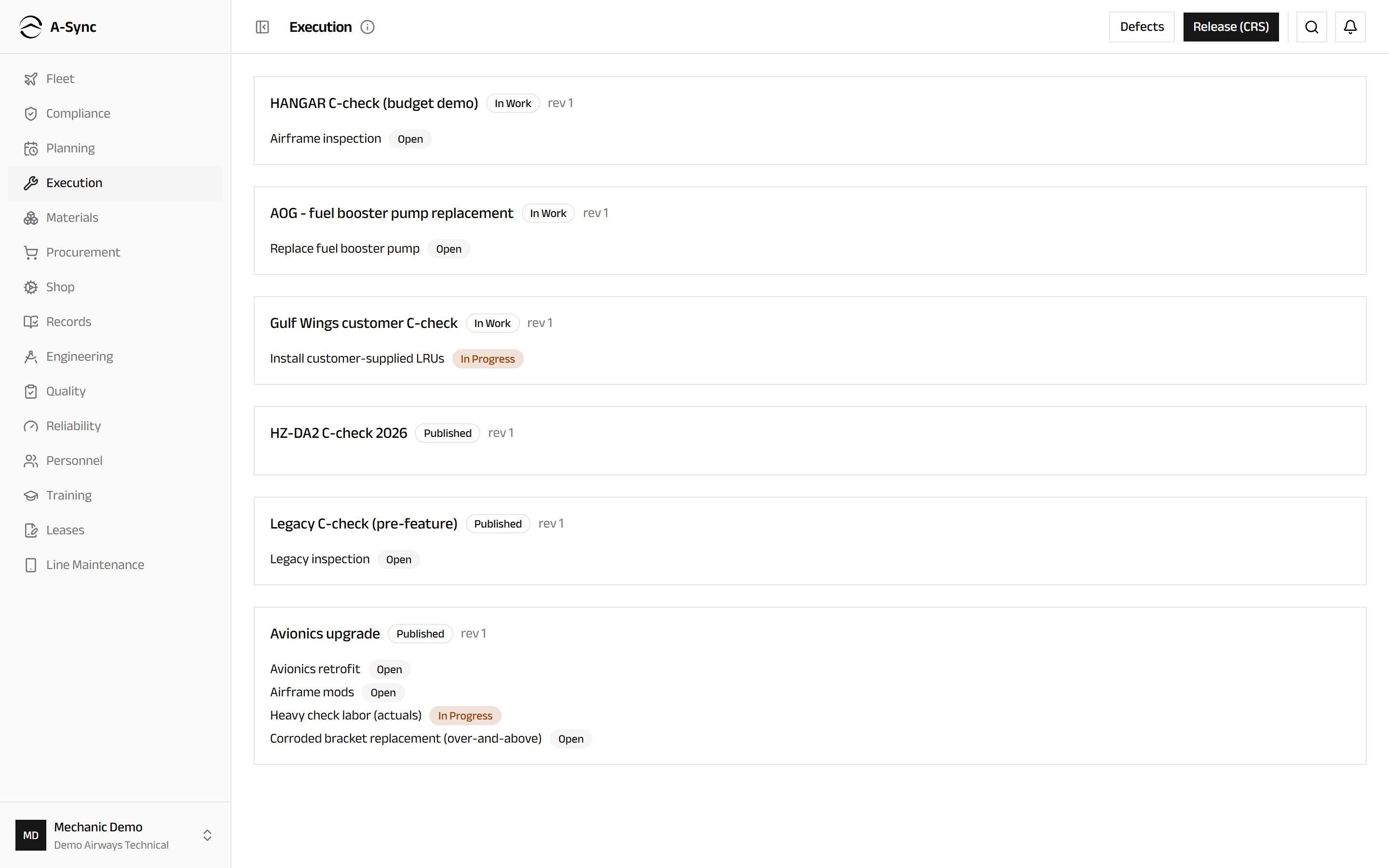
Tasks needing a second signature are badged dual inspection. If nothing is listed, no package has been published yet - that happens in Planning.
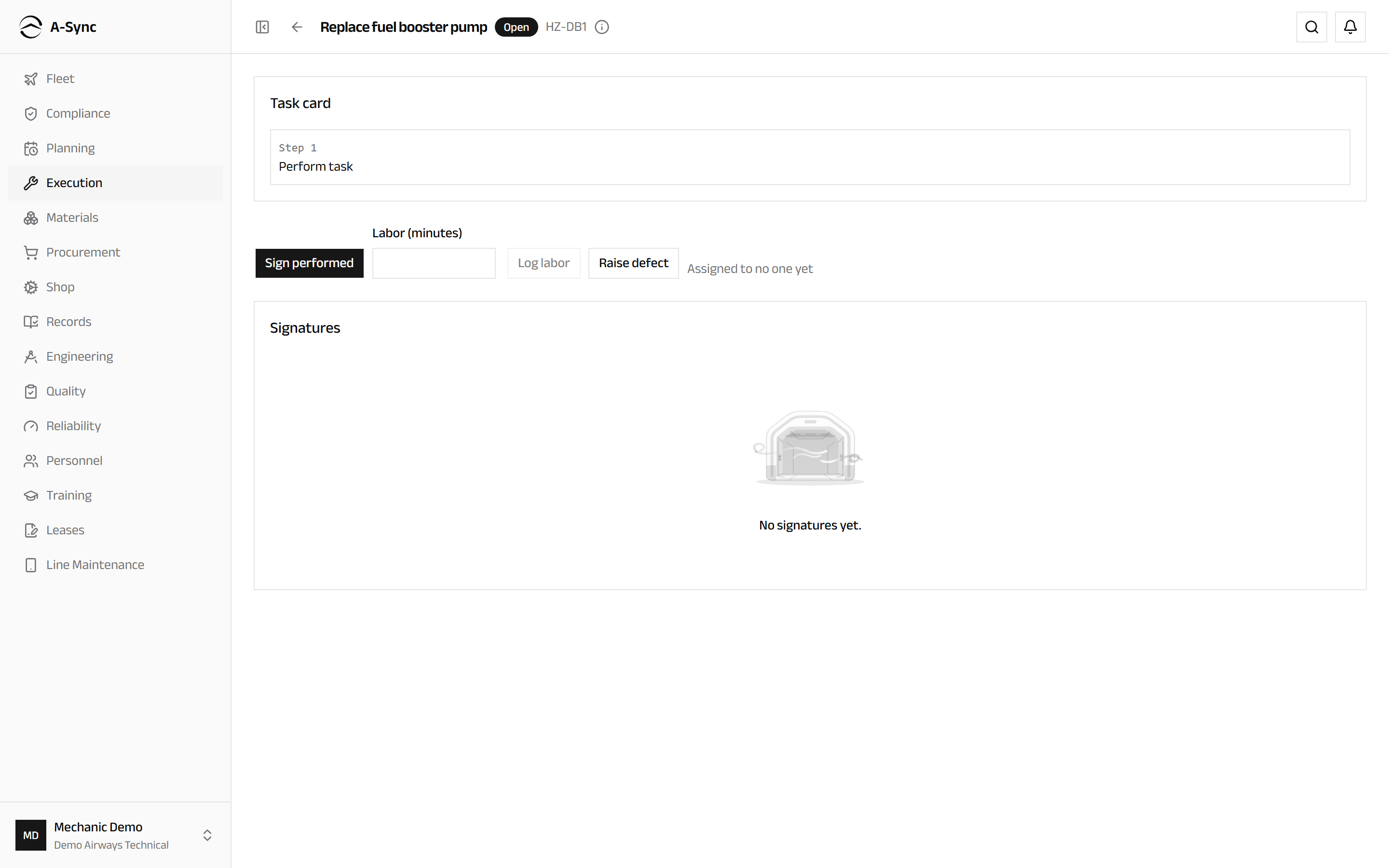
Work a task card
- Open the task.
- Read the steps under Task card.
- Do the work.
- Choose Sign performed.
- Read what you are about to attest to, then choose Confirm signature.
A signature is permanent
Signatures are never edited or deleted. If something later proves wrong, a correction supersedes the original and both are kept. Your name, authorisation and the exact content you signed are recorded with it.
Have the work independently inspected
- Open the task, which reads awaiting inspection.
- Check the work.
- Choose Sign inspected.
- Choose Confirm signature.
The second signature must come from someone qualified to give it, and the task only reaches signed once both are in place.
Record labour against a task
- Open the task.
- Enter the time worked in Labor (minutes).
- Choose Log labor.
Entries appear under Labor with who spent them. Where you clocked on to the task in the Line Maintenance workspace, the time arrives on its own, badged From punch clock - you do not need to enter it twice.
Raise a defect
From the task you are working on:
- Open the task.
- Choose Raise defect.
- Enter the Description.
- Enter the ATA chapter.
- Choose Raise defect.
The defect is linked to the task and then follows its own path - rectify it, or defer it. To record a defect that did not come out of a task, choose Execution, then Defects, then Raise defect, and choose the Aircraft first.
Defer a defect against the MEL
- Choose Execution, then Defects.
- Find the defect and choose Defer.
- Choose the Basis: MEL, CDL or Other.
- Choose the MEL item the deferral is taken against.
- Choose Apply deferral.
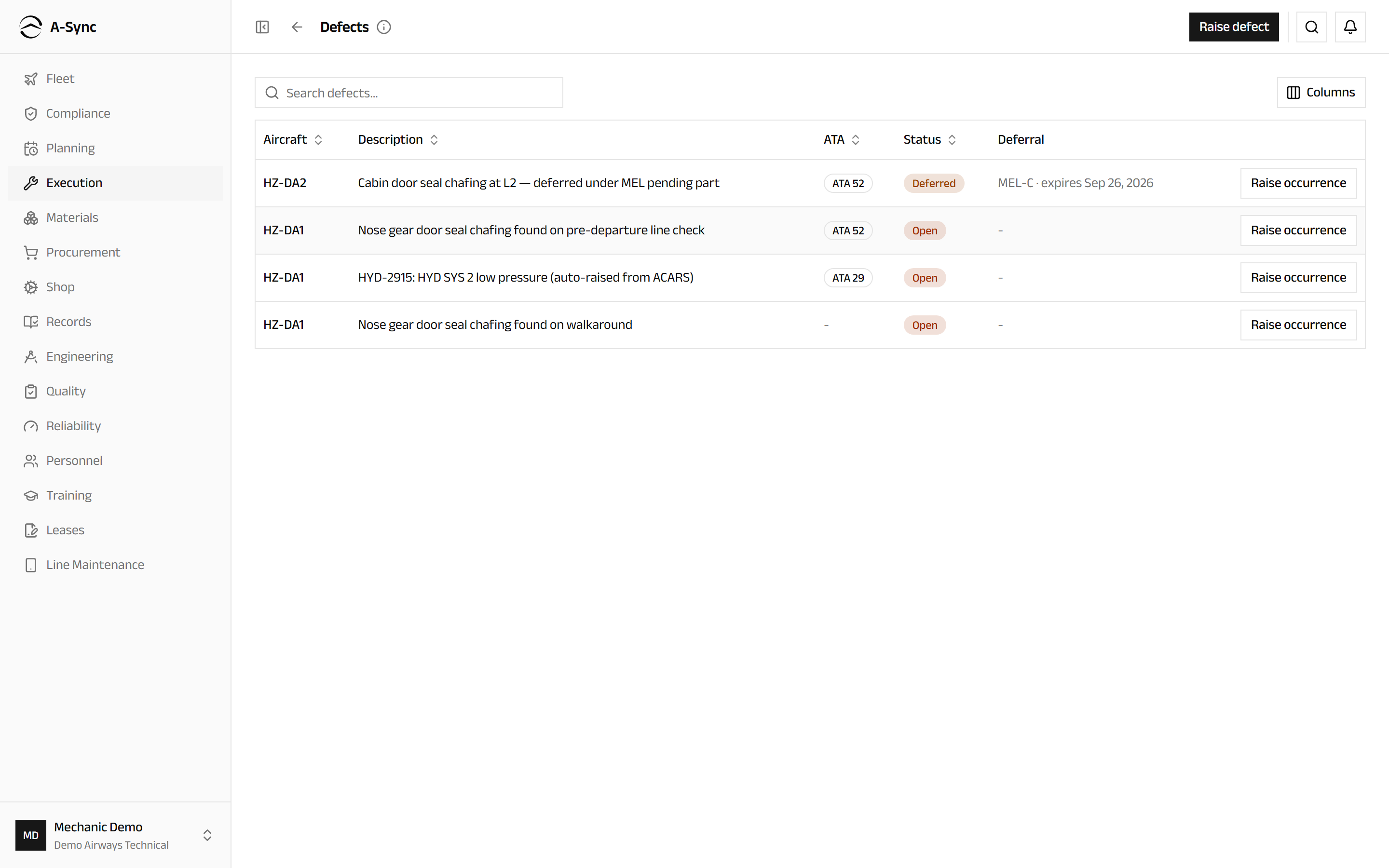
The expiry is computed from the item's category - you never type a date. The picker shows how many of each item are still deferrable and greys out anything with none left, so you cannot dispatch beyond what the MEL allows. Items carrying a maintenance or operations procedure are marked (M) and (O).
Deferral is an airworthiness decision
Only CAMO engineers and certifiers can defer a defect or extend a deferral. Anyone can raise one.
Before the MEL is published
Where no published MEL catalogue covers the fleet yet, A-Sync says so and keeps manual entry of the Category and Rectification interval (days) available until the first revision publishes.
Extend a deferral
- Choose Execution, then Defects.
- Find the deferred defect and choose Extend.
- Enter the Additional days.
- Enter the Justification.
- Choose Extend.
The days and your reasoning are recorded against your identity, and the expiry clock shifts. Deferrals approaching expiry are flagged as review required and escalate on their own.
Reassign a task
- Open the task.
- Choose Reassign.
- Choose the Assignee.
- Choose Reassign.
Sign-offs already made stay with the person who made them. Reassigning changes who does the remaining work, never who attested to the work already done.
See who is on the floor
- Open Attendance under Execution.
- Choose On the floor now for who is clocked in, their trade and what they are on.
- Choose Attendance day for the intervals derived from the day's punches.
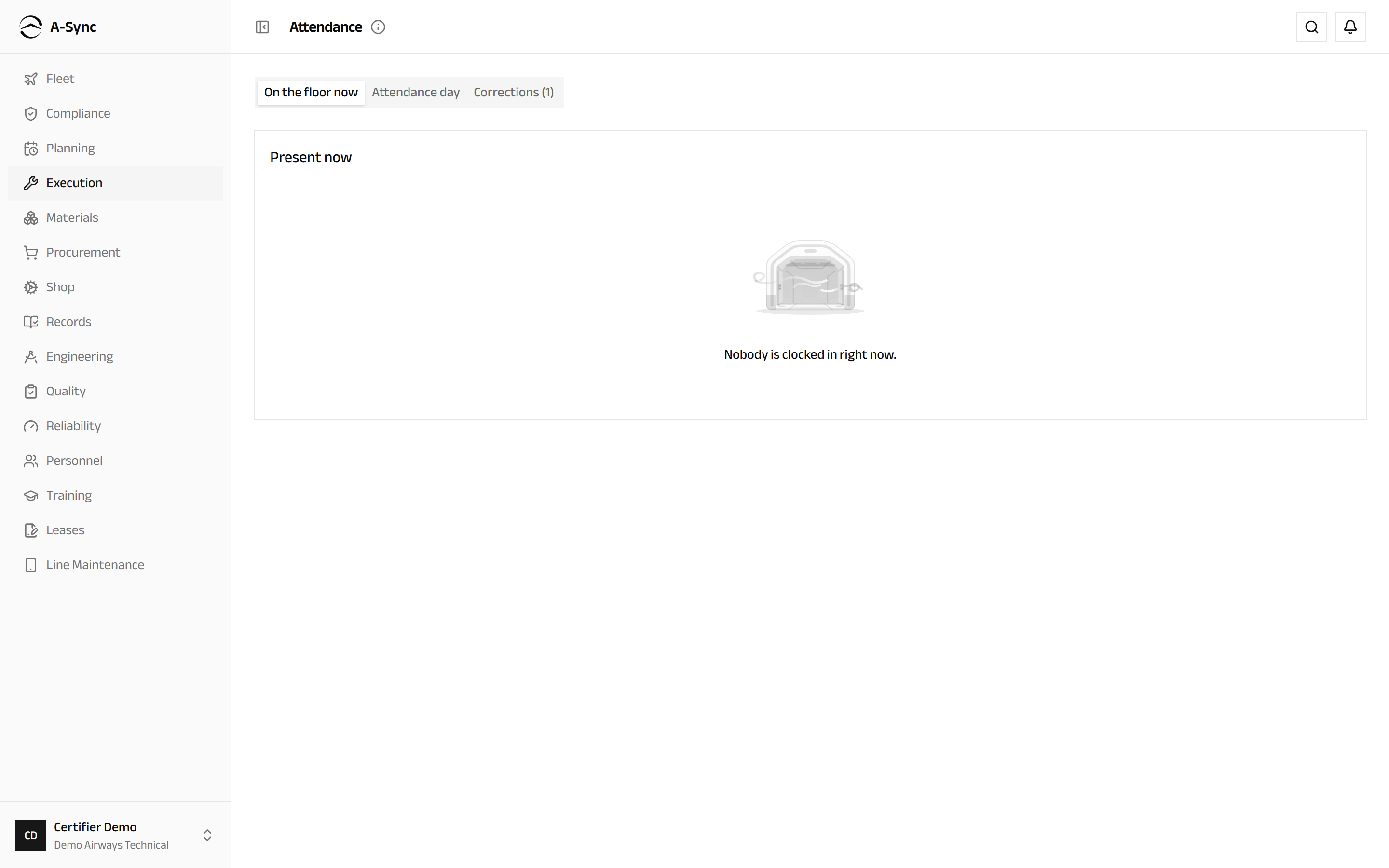
People present who are not rostered, rostered people who are absent, and punches outside the grace window are all flagged where they occur.
Approve an attendance correction
- Open Attendance under Execution.
- Choose Corrections.
- Read the proposal - an Amend, a Void or a Close (assert punch-out) - and who proposed it.
- Choose Approve or Reject.
A rejected correction keeps its reason on the record. Corrections are proposed against a punch, not typed over it, so the original stream stays intact.
Never your own correction
A correction cannot be approved by the person who proposed it. If Approve is unavailable, that is why.
Run the morning production meeting
- Open Production meeting under Execution.
- Set the Meeting date if you are looking at another day.
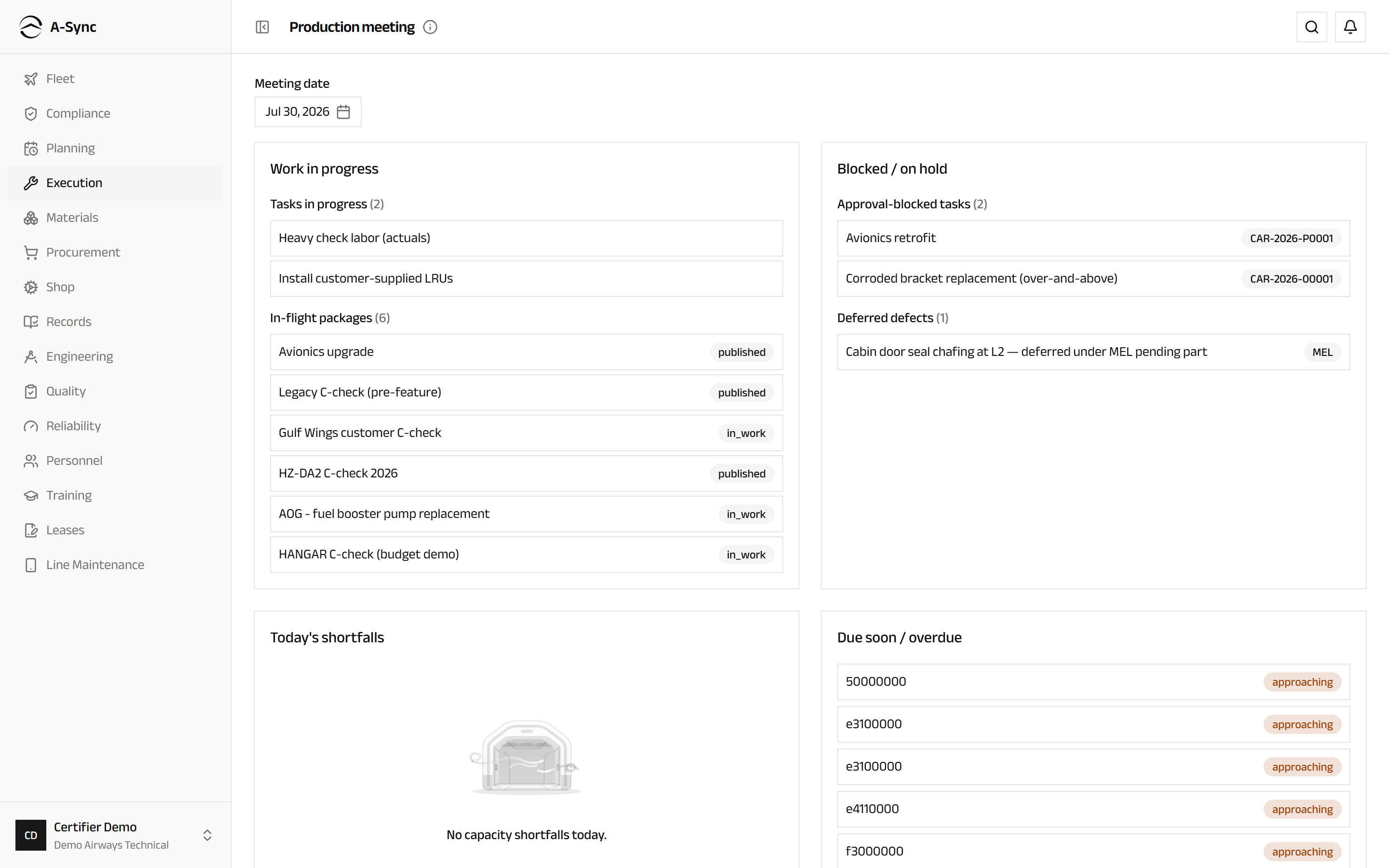
The page is composed when you open it, from live data: Work in progress, Blocked / on hold with the reason for each, Today's shortfalls, Due soon / overdue, and a Since yesterday delta of sign-offs, defects and package changes.
Hand the shift over
- Open Shift handover under Execution.
- Under Compose a handover, choose the Shift pattern.
- Set the Boundary date.
- Optionally narrow the Trade scope (optional).
- Add General notes (optional).
- Choose Compose from live truth.
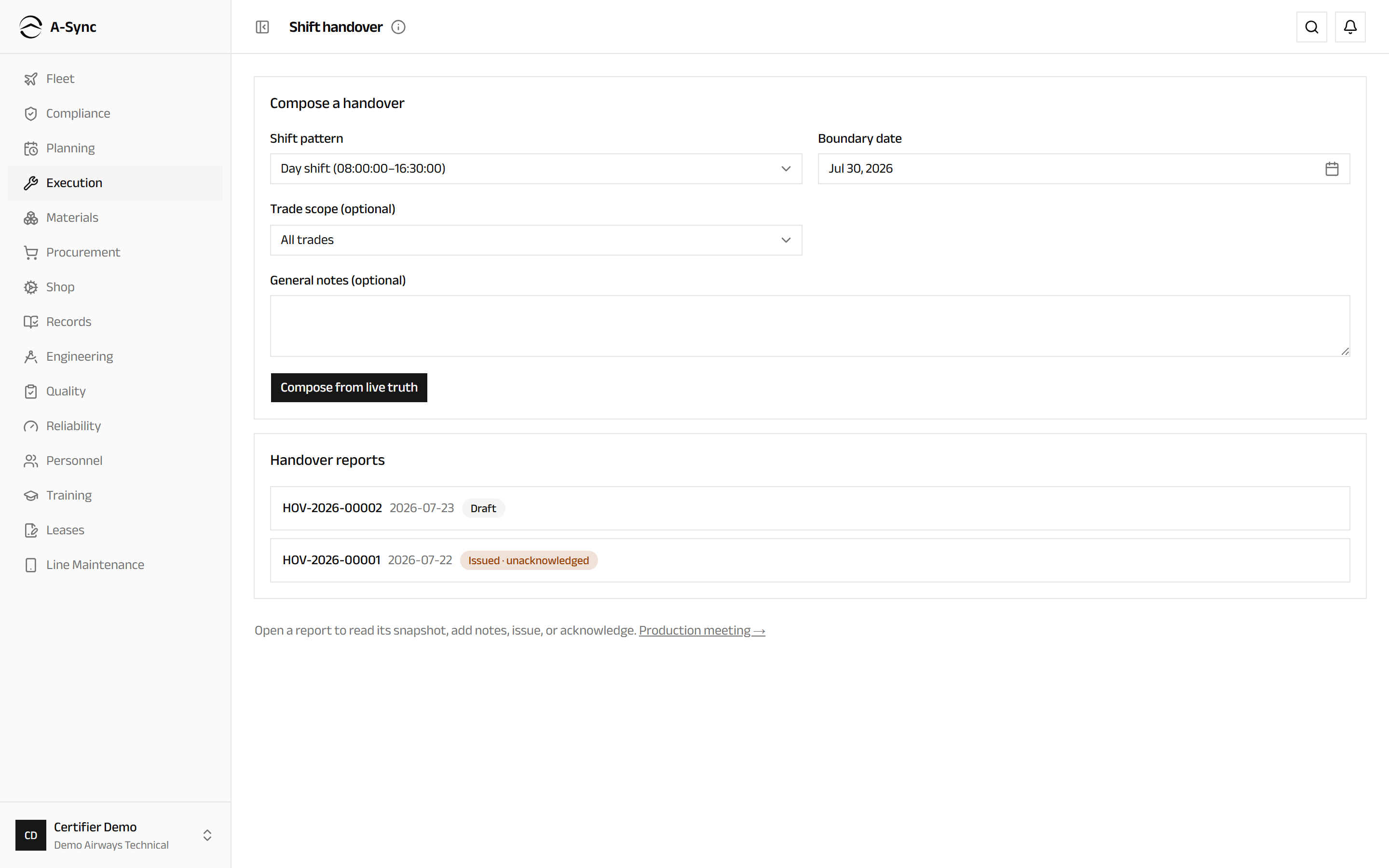
A-Sync assembles the report from what is actually happening: tasks in progress, work on hold and why, open defects with their deferral state, packages in flight, the slots in the window, and an attendance summary.
Open the report and choose Issue to close it. The incoming shift opens it and chooses Acknowledge.
Issuing freezes the report
An issued handover is an immutable record. Add anything you want said in the notes before you issue it.
Release the aircraft to service
- Choose Execution, then Release (CRS).
- Choose the Work package.
- Read Blocking items - anything still open is listed by name.
- Choose Issue CRS.
- Choose Download CRS document to keep a copy.
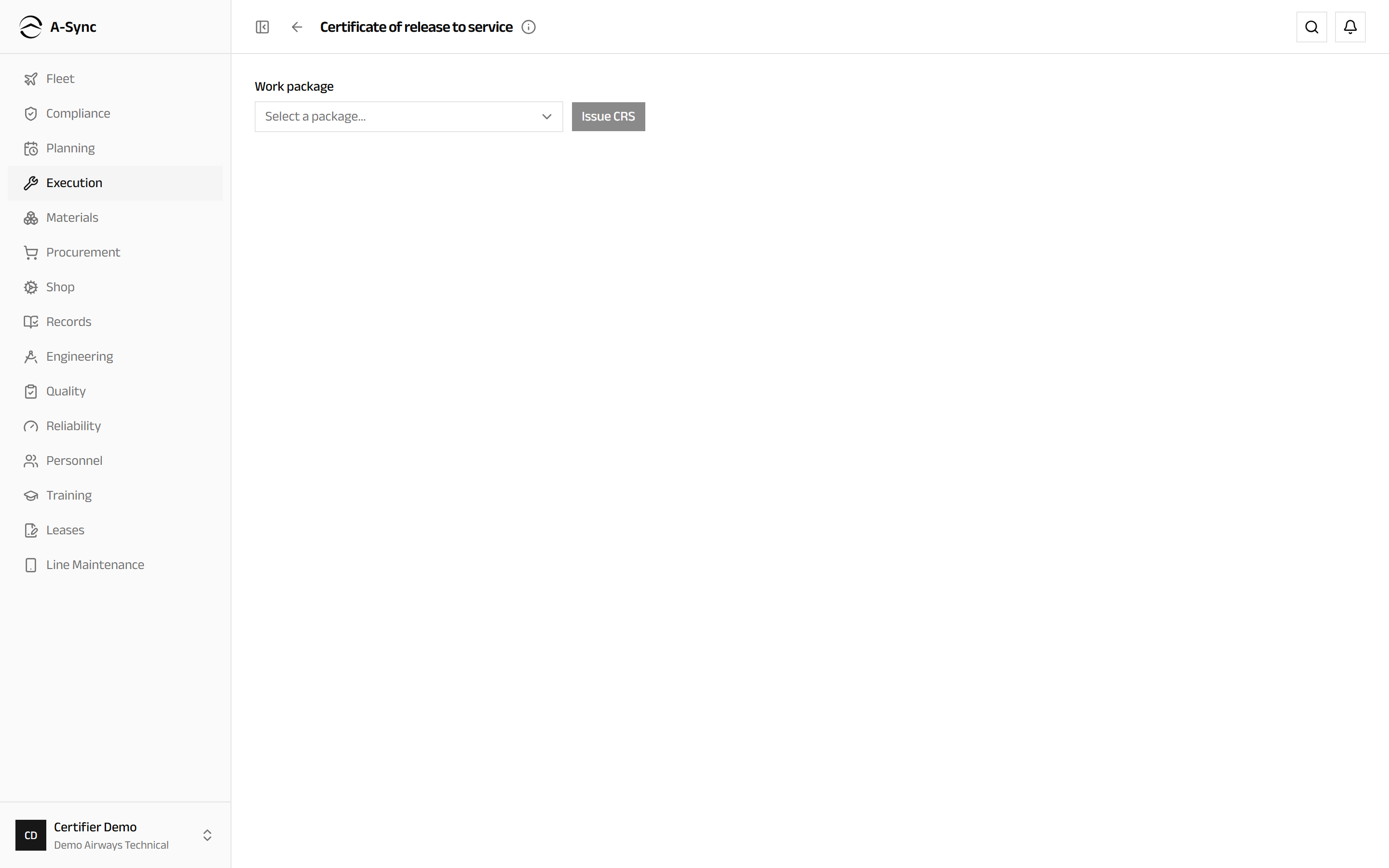
The certificate records who released the aircraft, under which authorisation and against which statement, and is archived automatically.
Certifiers only
Issuing a certificate of release to service requires certifier authorisation. Everyone else sees the screen and the blocking items, but not the control.
Role notes
| Role | What it can do here |
|---|---|
| Mechanic | Work tasks, sign performed, log labour, raise defects |
| Inspector | Work tasks and sign inspected |
| Certifier | Work and sign tasks, defer defects, issue the CRS, reassign work, and the supervisory screens |
| CAMO engineer | Defer and extend defects, reassign work, and the supervisory screens |
| Planner | Reassign work, attendance, corrections, the production meeting and handover |
| Flight crew | Raise defects |
| Everyone else | Read packages, task cards and defects |
Attendance and the meeting are supervisory
Attendance, the correction queue and the production meeting are open to planners, CAMO engineers and certifiers. If you reach one without those roles, A-Sync tells you the view is restricted rather than showing you an empty page.
Related modules
- Planning publishes the packages that appear here.
- Compliance holds the MEL a deferral is taken against, and receives the compliance the work satisfies.
- Materials supplies and issues the parts a task consumes.
- Line Maintenance is the offline-capable workspace at the aircraft, and where you clock on to a task.
- Quality takes a safety occurrence raised from a defect.
- Records keeps the signed task cards and the certificate of release.