Settings
The organisation-wide defaults every other module works to - locale and units, alerting, forecasting and costing, technical-log tolerances, certificate identities and the security policy.
What it's for
Settings holds the defaults for your whole organisation. It is one screen, changed rarely, and it is where the numbers behind alerting, forecasting, costing and several enforcement rules are set.
Almost nothing here is cosmetic. A value on this page decides when a requirement is warned as due, how a quote is priced, whether a roster assignment is blocked or merely questioned, and whether a crew member can certify a sector. Treat a change as a deliberate, occasional act rather than a preference.
Key concepts
Organisation - your company as A-Sync knows it. Its name and code are shown beneath the page title.
Default - the value a module uses when nothing more specific applies. A quote line covered by a customer agreement uses the agreement's rate; a line with no agreement falls back to the rate set here.
Lead time - how far ahead of a date A-Sync warns you. A lead of thirty days means the warning arrives thirty days before the deadline, not on it.
Tolerance - how far a recorded value may differ from the value A-Sync derives for itself before the difference is treated as an error.
Guard - a rule that either warns or blocks. Where a guard is offered, you choose which of the two it does.
Common tasks
Open settings
- Choose your name at the bottom of the sidebar.
- Choose Settings.
Administrators only
Settings appears in the account menu for administrators. Anyone who reaches the page without that right can read what is configured, but is told they cannot change it and is given no way to save.
Save a change
- Change the values you need, across as many cards as you like.
- Choose Save settings in the page header.
Save settings stays unavailable until something has actually changed. Every field is validated before anything is saved, and a value outside its allowed range explains what is allowed rather than failing silently.
Two people cannot save over each other
If someone else saved the page while you had it open, your save is refused rather than overwriting theirs. Reload the page and re-apply your change.
Set the locale, units and rates
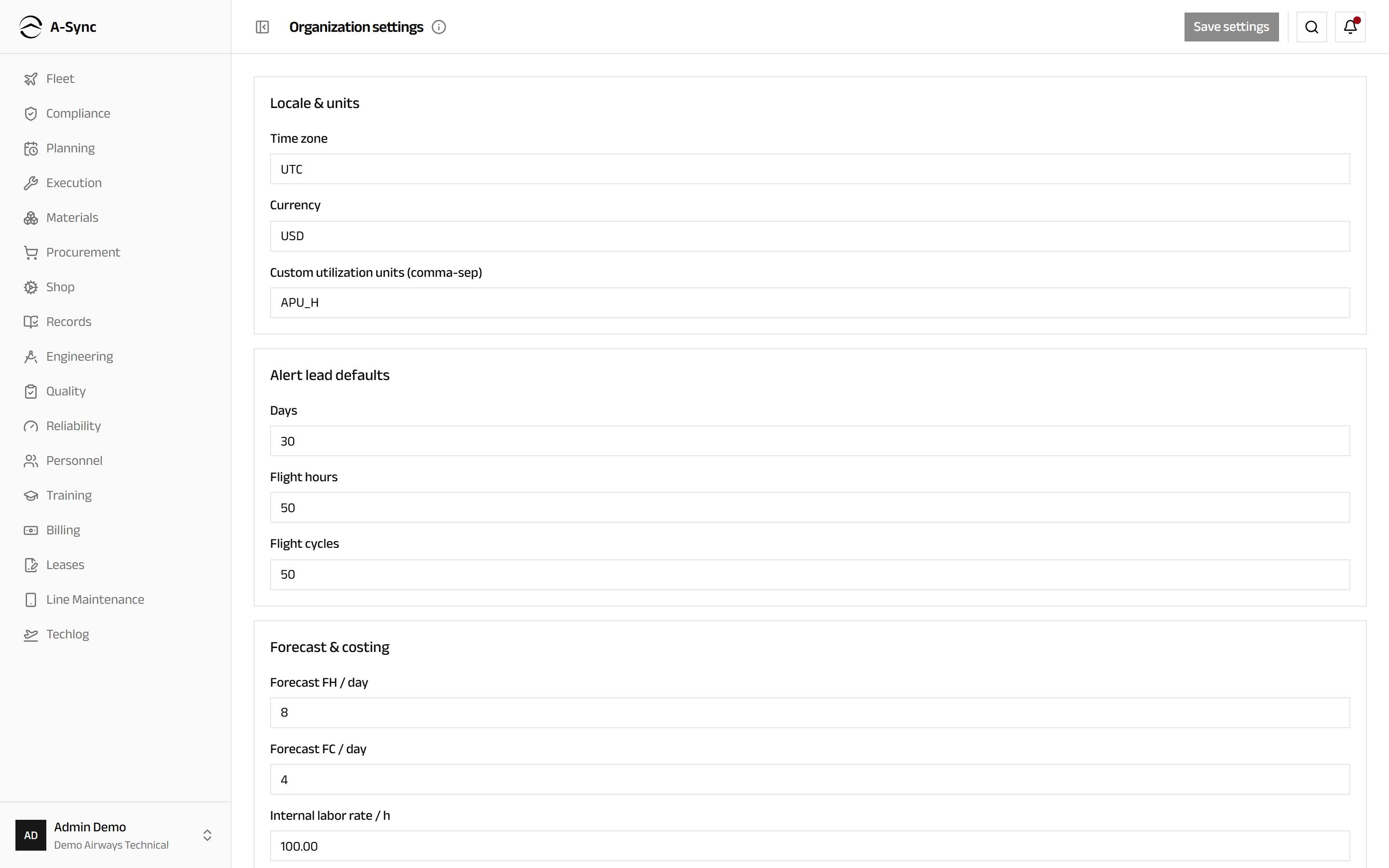
- Under Locale & units, set the Time zone and the Currency.
- List any Custom utilization units (comma-sep) you track beyond hours and cycles.
- Under Alert lead defaults, set Days, Flight hours and Flight cycles.
- Under Forecast & costing, set Forecast FH / day, Forecast FC / day and the Internal labor rate / h.
- Choose Save settings.
The alert lead defaults are how much warning you get before a requirement falls due, in each of the three ways a requirement can be measured. The forecast rates are how much A-Sync assumes an aircraft flies per day when it projects a due date forward.
Tune the technical log and regulatory conventions
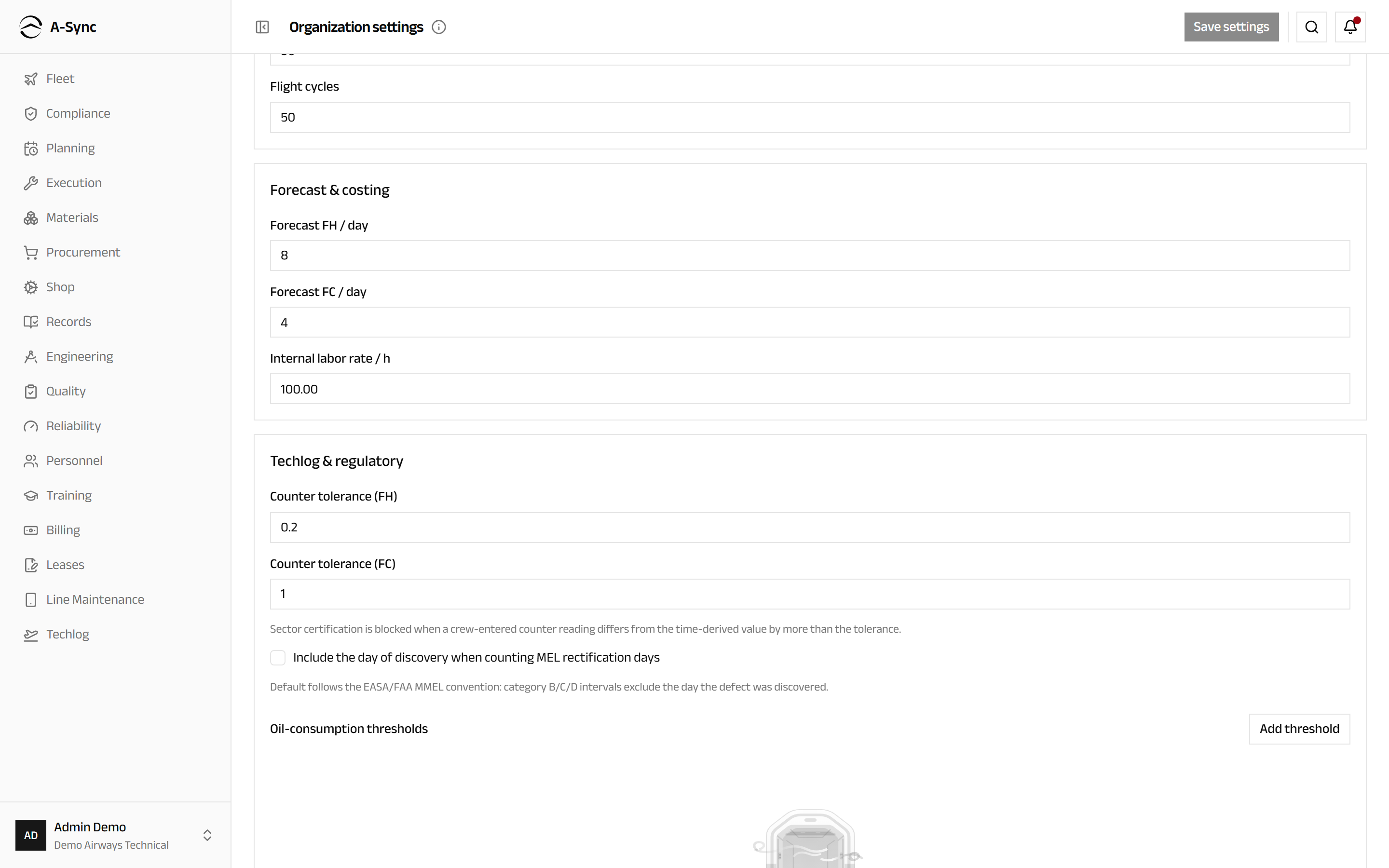
- Under Techlog & regulatory, set Counter tolerance (FH) and Counter tolerance (FC).
- Decide whether to tick Include the day of discovery when counting MEL rectification days.
- To watch oil consumption, choose Add threshold and enter the Engine type, the qt / FH rate and the Window (days) it is measured over.
- Choose Save settings.
The counter tolerance is enforced
Sector certification is blocked when a crew-entered counter reading differs from the time-derived value by more than the tolerance. Set it too tight and crew cannot certify a good page; set it too loose and a mis-keyed counter goes unnoticed.
Thresholds are opt-in
With no oil thresholds set, oil-consumption alerting is off. Add one per engine type you want watched.
Set who signs release certificates
- Under Authorized-release certificates, enter the Tracking-number prefix.
- Complete EASA Form 1 approval (block 1) - Organization name, Address and Approval reference - or leave the whole group empty.
- Complete the FAA 8130-3 approval group the same way.
- Tick Require an authorized-release certificate to close serviceable component orders.
- Choose Save settings.
Enabling issuance changes how the shop closes work
Once this is on, closing a serviceable component order takes a signed, numbered certificate instead of a free-text release reference. At least one complete approval identity is required before it can be enabled, and each approval group is all-or-nothing - complete every field, or clear them all.
Set the defaults another module works to
- Find the card for the module you are changing.
- Change the values you need.
- Choose Save settings.
| Card | What it controls |
|---|---|
| Exchange, loan & pooling orders | The core-return window, and how much warning you get before an obligation or a contract expires |
| Manpower planning & rostering | The utilisation factor, the capacity horizon, the shortfall warning, and whether a trade mismatch or an expired certification blocks a roster assignment or only warns |
| SMS / occurrence reporting | How many hours before a regulator filing deadline the safety office is warned |
| Customer quotations & commercial work | Quote validity, the expiry warning, the cap-warning threshold, and the fallback labour rate |
| Production control | The attendance grace window, how long an open punch may run before it is flagged, and how far ahead the long-horizon forecast projects |
Set the security policy
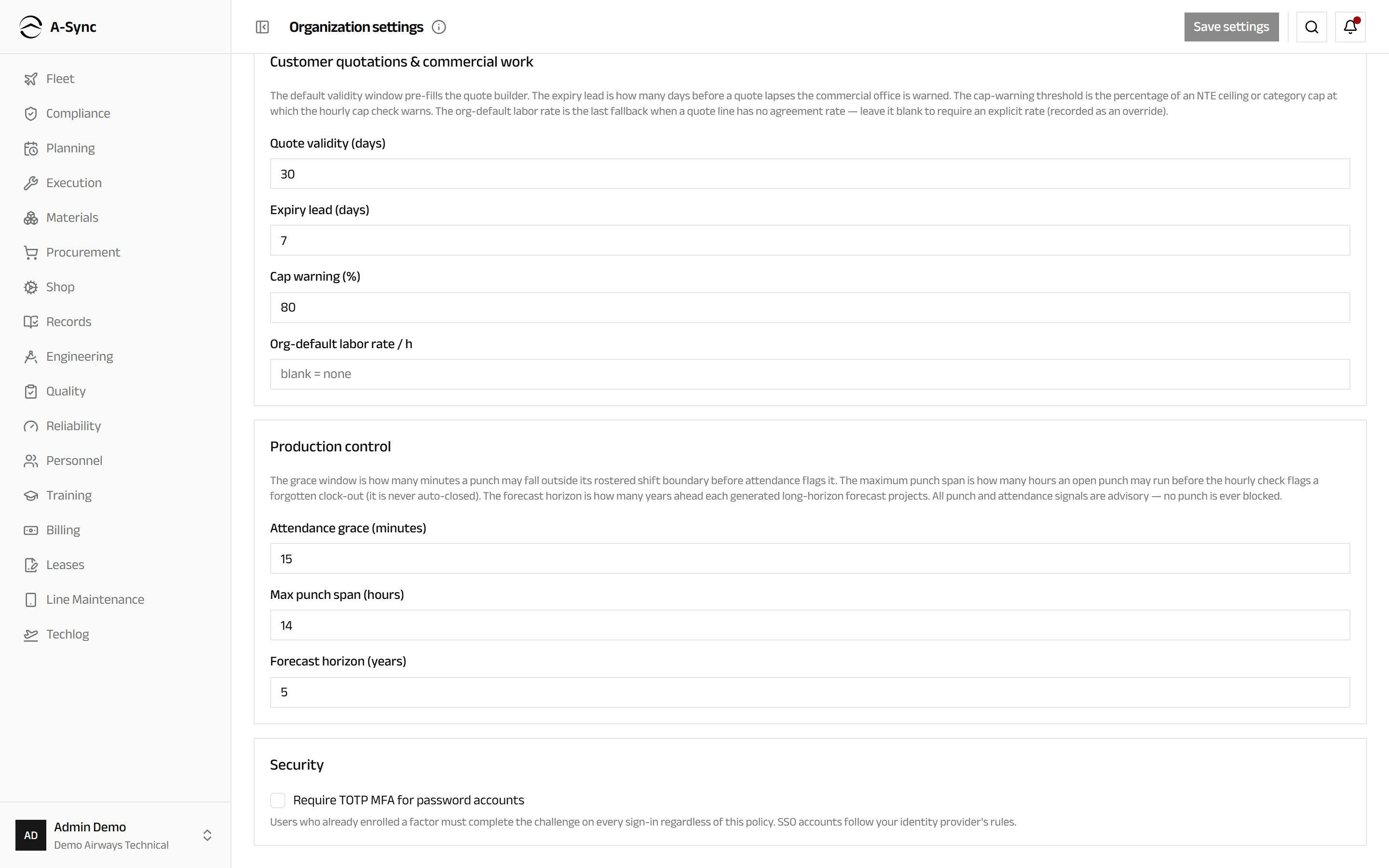
- Under Security, tick Require TOTP MFA for password accounts.
- Choose Save settings.
The policy is not the whole story
Anyone who has already enrolled a second factor completes the challenge at every sign-in whatever this policy says. Accounts that sign in through your identity provider follow that provider's rules instead.
Role notes
| Role | What it can do here |
|---|---|
| Administrator | Change every default on this screen |
| Everyone else | No access - Settings is not offered in their account menu |
Why this is administrator-only
One number on this page changes behaviour for every user in the organisation
- what is warned, what is priced, what is blocked. That is why the power is not delegated to the module owners whose defaults are set here.
Related modules
- Compliance uses the alert lead defaults and the MEL day-count convention.
- Techlog is where the counter tolerance is enforced, at the moment a crew member certifies a sector.
- Shop prints the approval identities on the certificates it issues.
- Planning works to the manpower capacity and roster guards.
- Billing uses the labour rates and the quote defaults.
- Procurement uses the exchange, loan and pooling windows.
- Quality uses the occurrence filing lead time.