Reliability
Fleet reliability measures with drill-down to the source events, threshold alerts, and the aircraft health feed that turns reported faults into defects.
What it's for
Reliability turns everything the operation has already recorded - departures, interruptions, defects, removals and oil uplifts - into a picture of how the fleet is actually behaving.
It answers two questions. Is anything getting worse? And is anything the aircraft itself is reporting being missed? The first is the dashboard and its alerts; the second is the aircraft health feed, where the faults an aircraft transmits are de-duplicated, correlated and, where the rules say so, turned into defects without waiting for someone to notice.
Key concepts
Dispatch reliability - the share of departures that left without a technical interruption, over the period shown.
PIREP and MAREP rates - pilot-reported and maintenance-reported defects per 1,000 flight hours. They are the standard way of comparing periods and fleets whose flying differs.
Removal rate - how often a part comes off, split into scheduled and unscheduled, expressed per 1,000 flight hours so a rare part and a common one can be read side by side.
Defect cluster - several defects landing in the same ATA chapter over the last 90 days. A cluster is a hint, not a verdict.
Reliability alert - what the nightly review raises when a measure crosses its configured threshold. An alert is worked, not deleted: it moves to under investigation and then closed.
Health message - one transmission from an aircraft's health monitoring system. It is retained exactly as received, with its time, source, ATA reference, fault code and severity, and correlated to the aircraft, the sector it happened on, and the component fitted at that ATA.
Fault occurrence - the tracked item that repeated transmissions of the same active fault collapse into. It carries a transmission count and first and last seen times, so an intermittent fault reads as one recurring item rather than fifty rows.
Auto-raise rule - the standing instruction that decides which faults become defects on arrival, keyed on fault code and severity.
Common tasks
Read the fleet's reliability
- Choose Reliability in the sidebar.
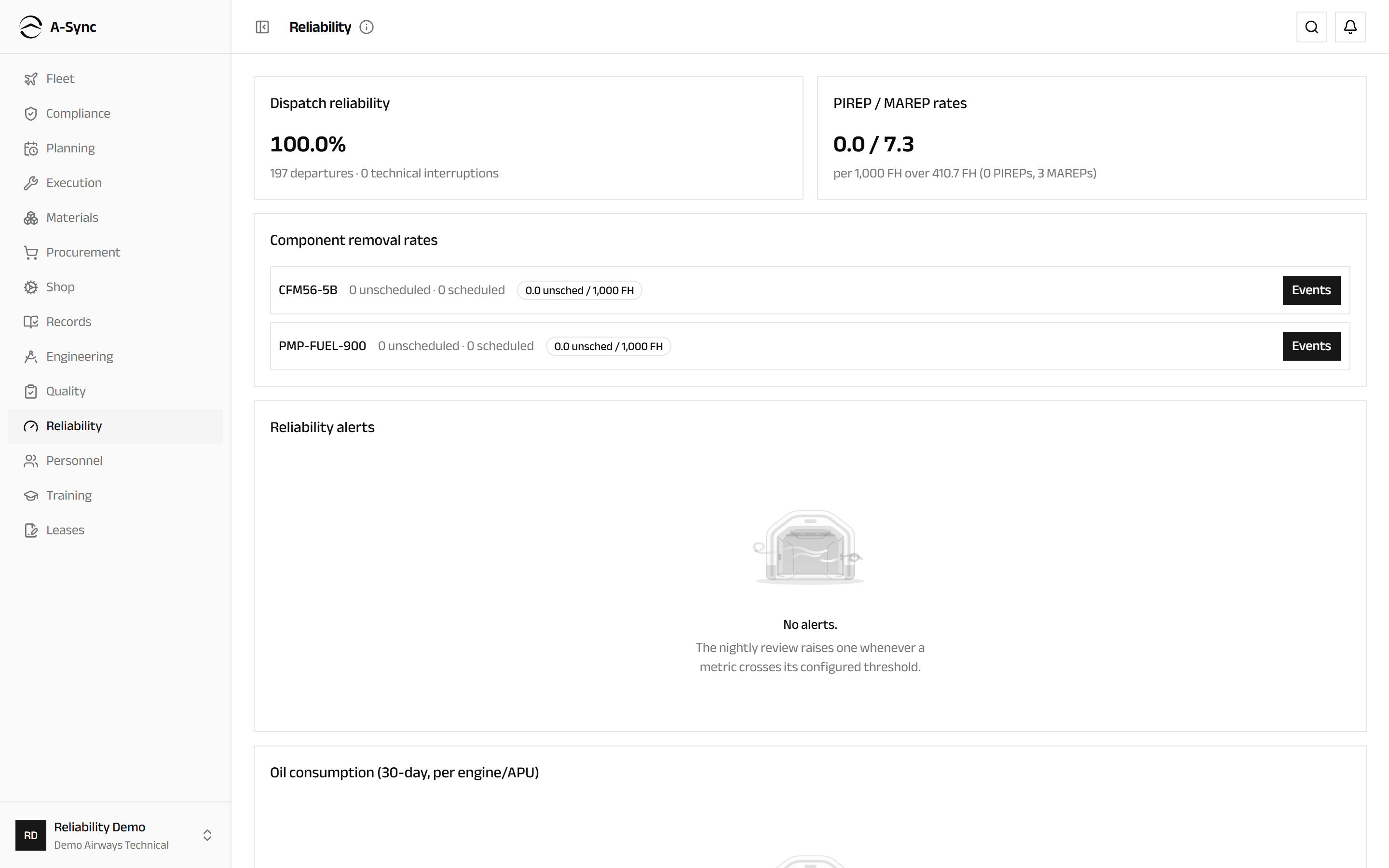
The dashboard covers the year to date and shows Dispatch reliability with the departures and interruptions behind it, PIREP / MAREP rates against the flight hours flown, Component removal rates and, where there are any, Recurring-defect clusters (90 days) by ATA chapter.
At the foot of the page, Oil consumption (30-day, per engine/APU) lists each engine and APU with its quarts per flight hour, the oil uplifted, the hours flown and how many sectors contributed. It is the earliest warning of a developing engine problem you have.
Drill into a removal rate
- Choose Reliability in the sidebar.
- Find the part under Component removal rates.
- Choose Events.
The removal events behind the rate are listed underneath, so a rate is never a number you have to take on trust. Choose Events again to collapse it.
Work a reliability alert
- Choose Reliability in the sidebar.
- Find the alert under Reliability alerts and read the measure against its threshold.
- Choose Investigate to take it on.
- Choose Close once it is resolved or explained.
Alerts are raised by the nightly review whenever a measure crosses its configured threshold, so the list is what the fleet is telling you rather than what somebody remembered to add.
Review what the aircraft are reporting
- Open Aircraft health.
- Read down Fault occurrences.
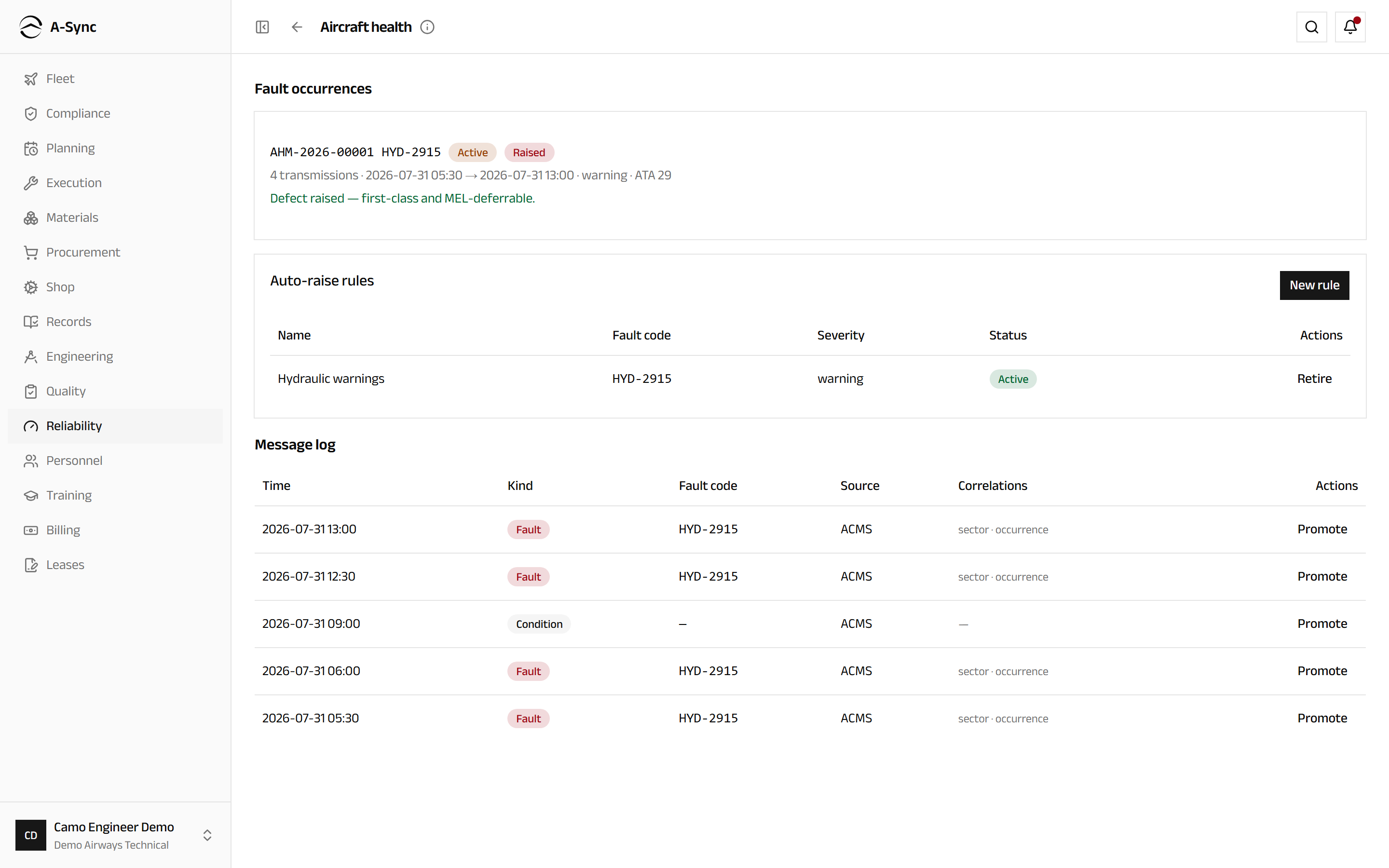
Each occurrence shows how many transmissions it represents, its ATA chapter, when it was first and last seen, and its disposition - Monitoring where no rule matched it, Raised where a rule turned it straight into a defect, Promoted where a person did, or Suppressed where it has been set aside.
Raise a defect from a fault occurrence
- Open Aircraft health.
- Find the occurrence under Fault occurrences.
- Choose Raise defect.
The defect that appears is a first-class defect from that moment: deferrable against the MEL, rectifiable, and visible in reliability exactly like a defect a pilot reported. It is marked as aircraft-reported so its origin stays clear.
Silence a nuisance fault
- Open Aircraft health.
- Find the occurrence and choose Suppress.
- Enter the Reason.
- Confirm with Suppress.
Suppression hides nothing
Suppression stops a fault raising defects automatically. It does not stop the aircraft reporting it: the transmission count and last-seen time keep advancing, and your reason stays on the record. Suppression applies to that one occurrence, not to the fault code everywhere.
Keep the auto-raise rules current
- Open Aircraft health.
- Find Auto-raise rules.
- Choose New rule.
- Enter the Name, and at least one of Fault code and Severity.
- Save the rule.
- To stop a rule applying, choose Retire against it.
Rules apply from now on
A new rule raises defects from the next matching transmission onward. It is never applied backwards over messages already ingested - so adding a rule can never flood the defect list with history.
Promote a message the rules ignored
- Open Aircraft health.
- Find Message log.
- Find the message - each row shows its Time, Kind, Source and Correlations.
- Choose Promote.
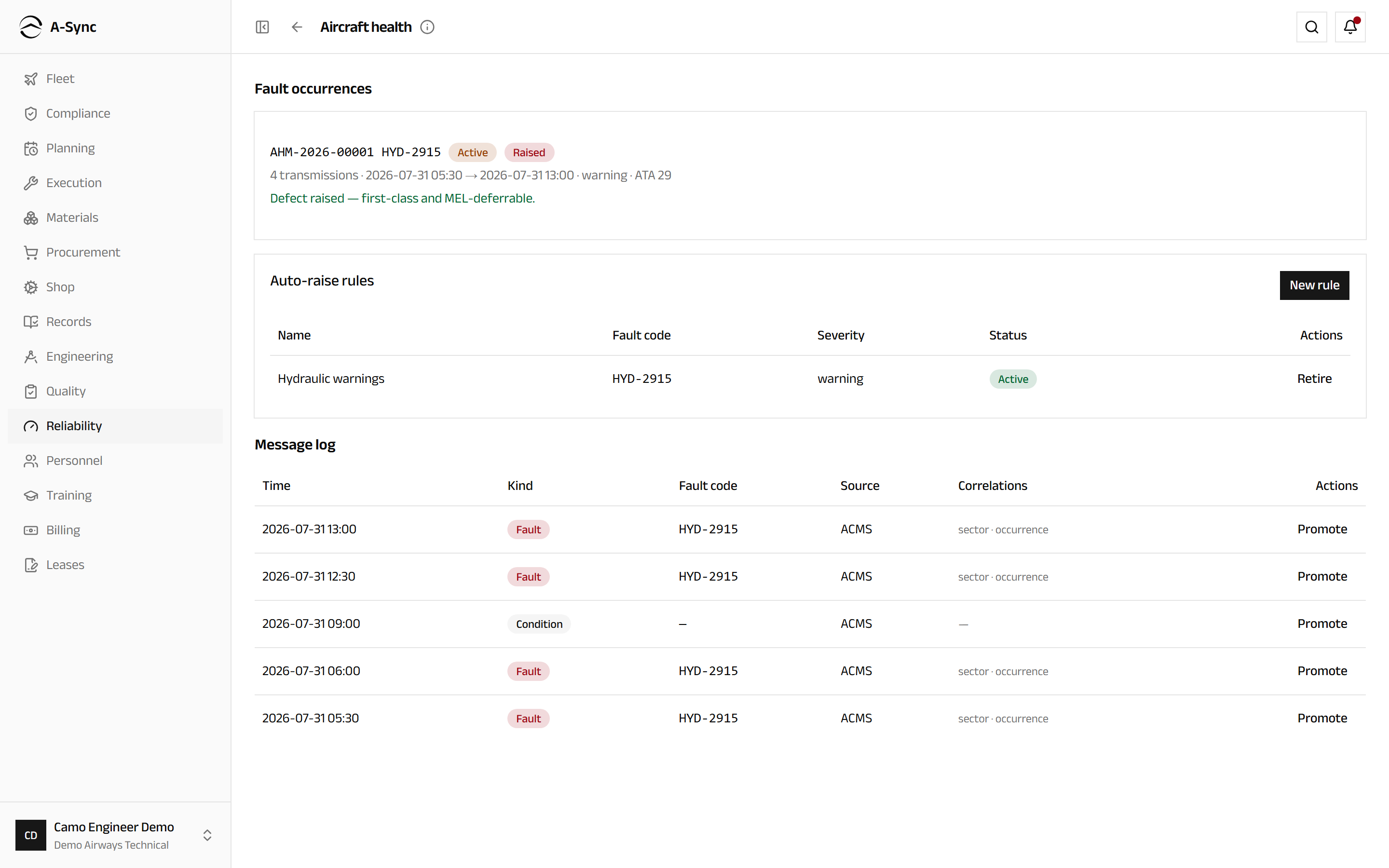
Nothing is ever discarded for failing to match a rule. Condition and exceedance messages are kept as monitoring data, and any of them can be turned into a defect afterwards by hand. Re-ingesting the same feed raises nothing new - it only advances transmission counts.
Role notes
| Role | What it can do here |
|---|---|
| Reliability | Read every measure, and move alerts to investigation and closure |
| CAMO engineer | The same alert actions, plus the health feed: raising defects from faults, suppressing occurrences, and creating and retiring auto-raise rules |
| Everyone else | Read the dashboard, the alerts and the health data |
Where the health feed comes from
Health messages arrive as a structured feed, imported like every other feed in A-Sync. Nothing subscribes to a live aircraft datalink, and no message is ever typed in by hand.
Related modules
- Execution owns the defects reliability counts, and where an auto-raised defect is rectified.
- Fleet supplies the flight hours and cycles every rate is measured against.
- Techlog is where crew-reported defects and oil uplifts are captured.
- Quality takes the safety occurrences an adverse trend can justify raising.
- Compliance is where a reliability finding turns into a change to the maintenance programme.