Personnel
Qualification records with expiry tracking, assignment scope checks, and the trades, shifts and absences behind available man-hours.
What it's for
Personnel is the record of who is allowed to do what, and of how much of the workforce is actually on the floor.
The first half is regulatory: every licence, type rating, company authorization and training record, each with the aircraft types and privileges it covers and the date it runs out. It is what the sign-off controls in Execution check against before anyone signs for work. The second half is practical: the trades your shop works in, the shift patterns people are rostered to, and the absences that take them off - which together give planning a supply figure it can trust.
Key concepts
Qualification - one record of authority held by one person. Its Kind is a License, a Type rating, a Company authorization or Training, and it carries a reference, a validity period and a scope.
Scope - what a qualification actually permits: the aircraft types it covers, and the privileges within them - Perform, Inspect or Certify. A qualification with no aircraft types listed covers all types.
Expiry watchlist - everything falling due inside the alert window, sorted by how many days remain.
Scope check - asking A-Sync, before you hand work out, whether a named person is covered for a privilege on an aircraft type.
Trade - a skill the shop works in, such as airframe, avionics, engine, NDT, structures or cabin. A person can hold several.
Shift pattern - the start and end times, the productive hours and the working days that a person is rostered to.
Available man-hours - what all that adds up to: rostered hours by trade, net of recorded absence.
Common tasks
See what is about to expire
- Choose Personnel in the sidebar.
- Read down Expiry watchlist, or narrow it with Search watchlist.
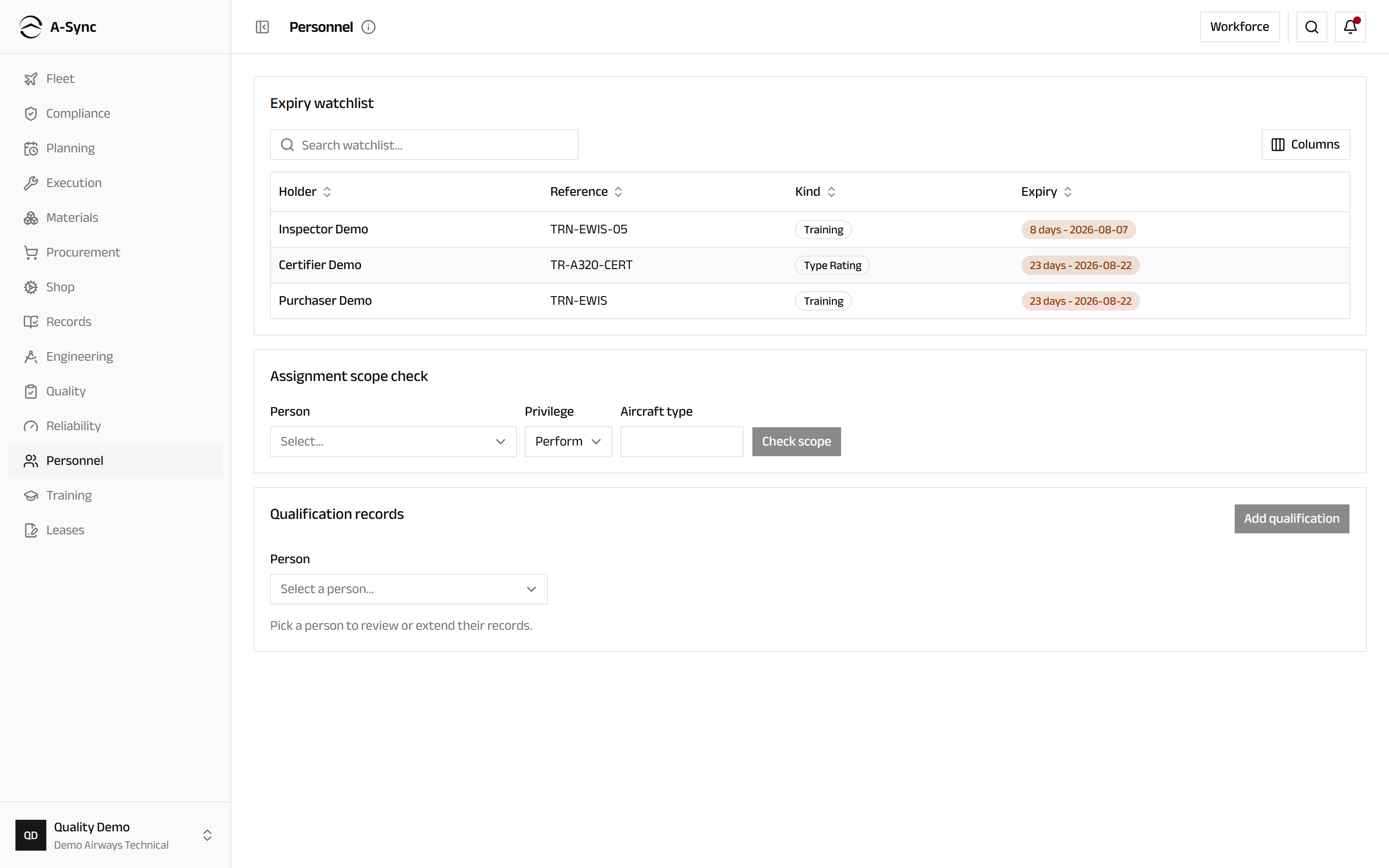
Each row shows the Holder, the Reference, the Kind and the Expiry as both a countdown and a date. The watchlist is the whole point of keeping these records in one place: a certifier whose authorization lapses on Friday should never be a surprise on Monday.
Check whether someone may be given the work
- Choose Personnel in the sidebar.
- In Assignment scope check, choose the Person.
- Choose the Privilege - Perform, Inspect or Certify.
- Enter the Aircraft type.
- Choose Check scope.
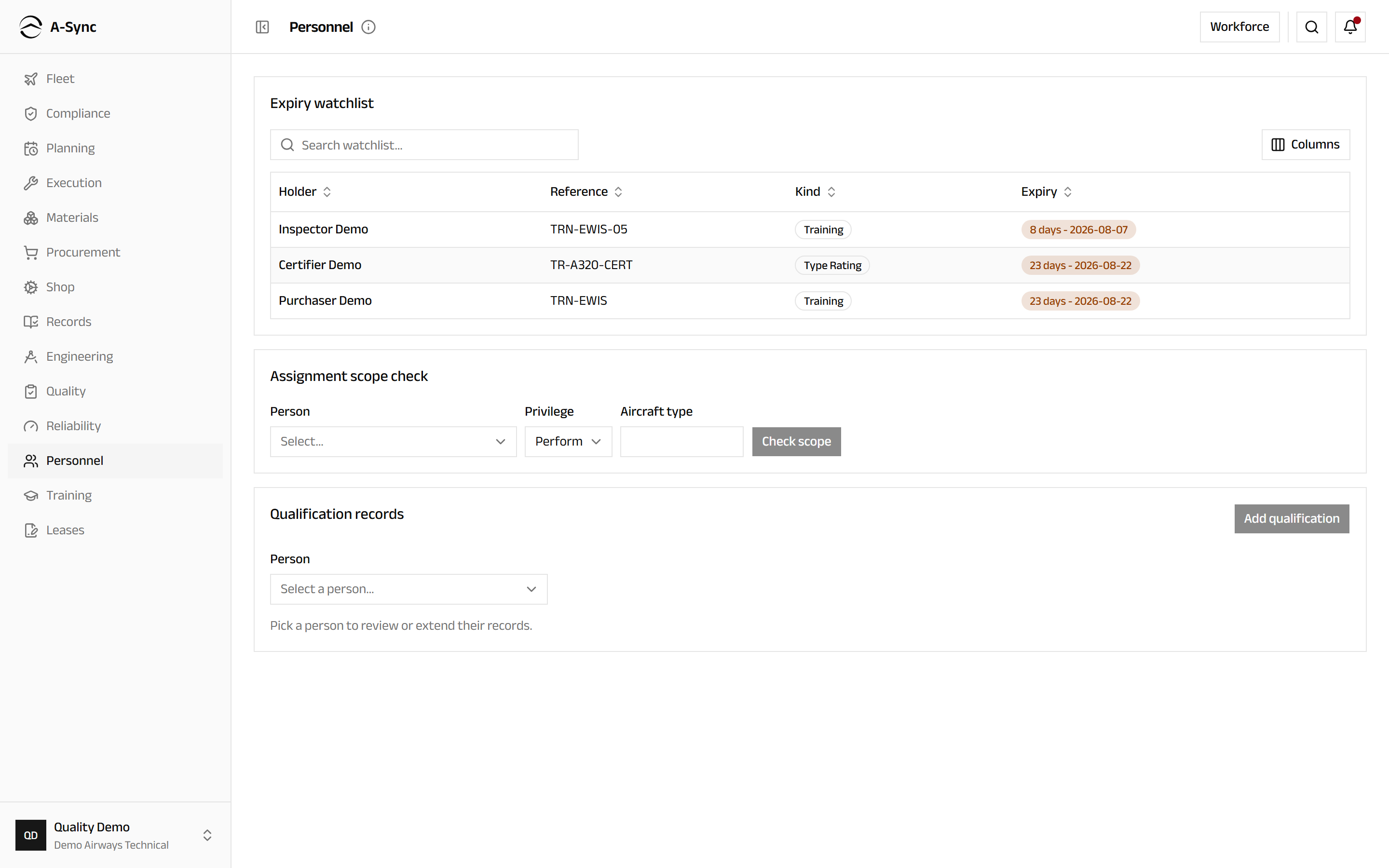
A-Sync answers with Within scope, naming the qualification that covers it, or Outside scope with the reason. Use it before work is handed out rather than after - the sign-off gate will refuse an out-of-scope signature at the end of the job either way, and finding out then is expensive.
Record a qualification
- Choose Personnel in the sidebar.
- Under Qualification records, choose the Person.
- Choose Add qualification.
- Choose the Kind and enter the Reference.
- Enter the types it covers under Aircraft types (comma-sep), or leave it empty for all types.
- Tick the Privileges it grants.
- Enter Valid from and, where the authority expires, Valid to.
- Choose Add qualification.
The record appears against that person with its scope and validity, and its status shows as valid, expiring, expired or revoked. Anything with an expiry date inside the alert window joins the watchlist automatically.
Revoke a qualification
- Choose Personnel in the sidebar.
- Under Qualification records, choose the Person.
- Find the record and choose Revoke.
Revocation takes effect at once
A revoked qualification stops covering work immediately, so anybody relying on it will fail a scope check and be refused at sign-off from that moment. The record itself is kept - revoked, not deleted - because the history of who was authorized when is exactly what an audit asks for.
Set up trades and shift patterns
- Choose Personnel, then Workforce.
- Under Trades, choose Seed defaults for the six standard maintenance trades, or New trade and enter a Code and a Name.
- Under Shift patterns, choose New pattern.
- Enter the Name, the times it Starts and Ends, the Productive hours and the Working days.
- Choose Create pattern.
Productive hours are deliberately separate from the shift length: a ten-hour shift is not ten hours on the aircraft, and planning that pretends otherwise always overcommits. A trade you no longer use is deactivated rather than removed, which stops new assignments while leaving it on historical records.
Roster a person and record absence
- Choose Personnel, then Workforce.
- Find the person under Workforce.
- Choose Trades and tick the trades they hold, then Save trades.
- Choose Assign shift, choose the Pattern, set Starts on and, if the roster is temporary, Ends on (optional), then choose Assign.
- When someone is away, choose Absence, set Starts on and Ends on, choose the Kind - Leave, Sick, Training or Other - and choose Record.
Read available man-hours by trade
- Choose Personnel, then Workforce.
- Read Available man-hours by trade across the next fortnight.
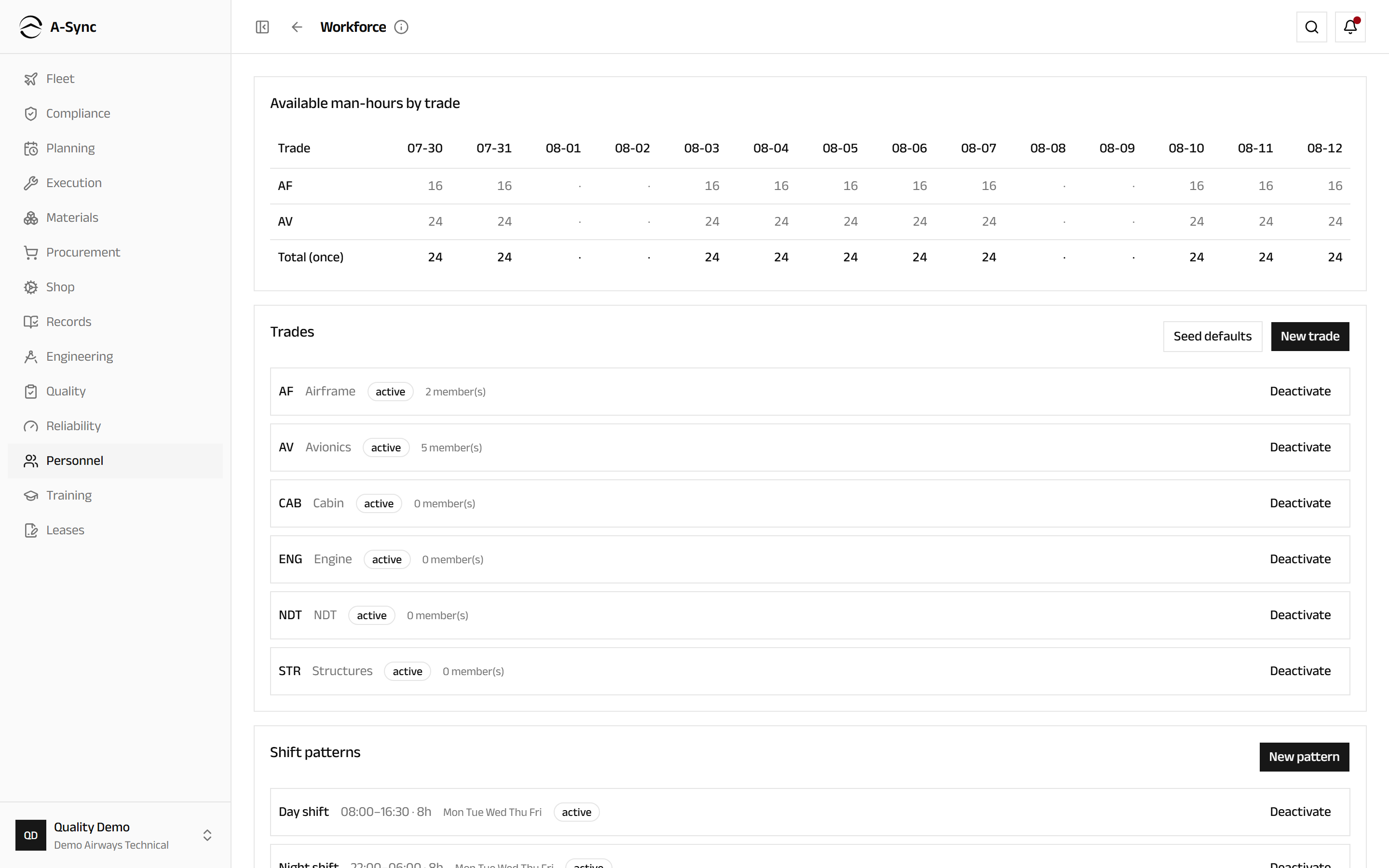
Each row is a trade, each column a day, and Total (once) is the range total.
Nobody is counted twice
Someone who holds two trades contributes their hours once, not once per trade - a technician cannot work airframe and avionics simultaneously. Their hours can be spent on either trade, but the shop's total capacity never doubles because of a second skill. Recorded absence is deducted before the totals are shown.
Role notes
| Role | What it can do here |
|---|---|
| Quality | Record and revoke qualifications, define trades and shift patterns, roster people and record absences |
| Everyone else | Read the watchlist and qualification records, and run scope checks |
Why quality holds the pen
Qualifications decide who may sign for work, so the authority to grant them sits with quality rather than with the people or the supervisors who benefit from them. Reading is open across the organisation: a planner needs to see who is qualified before assigning a job, and a mechanic needs to see what they themselves hold.
Related modules
- Execution checks these qualifications at sign-off, and refuses a signature outside their scope.
- Planning uses available man-hours by trade as the supply side of the capacity picture.
- Training is where the courses, sessions and results that produce a qualification are run.
- Quality owns these records, and audits how well they are kept.
- Records keeps the certificates behind them.